

Google Drive Sheets
This data source connector loads sheets from Google Drive Sheets and stores them as tables in a bucket in your current project.
Configuration
Section titled “Configuration”Create a new configuration of the Google Drive connector. Then click Authorize Account to authorize the configuration.
Click New Sheet to configure extraction and Select spreadsheet to list accessible spreadsheets in your account:
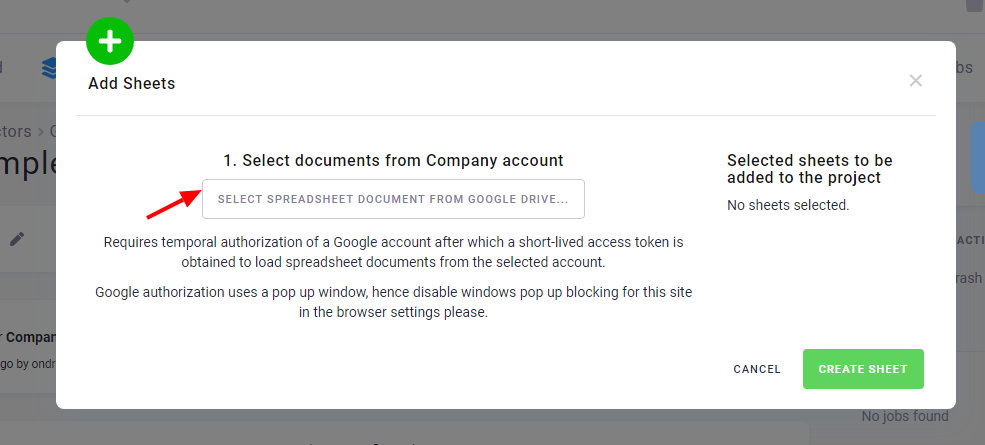
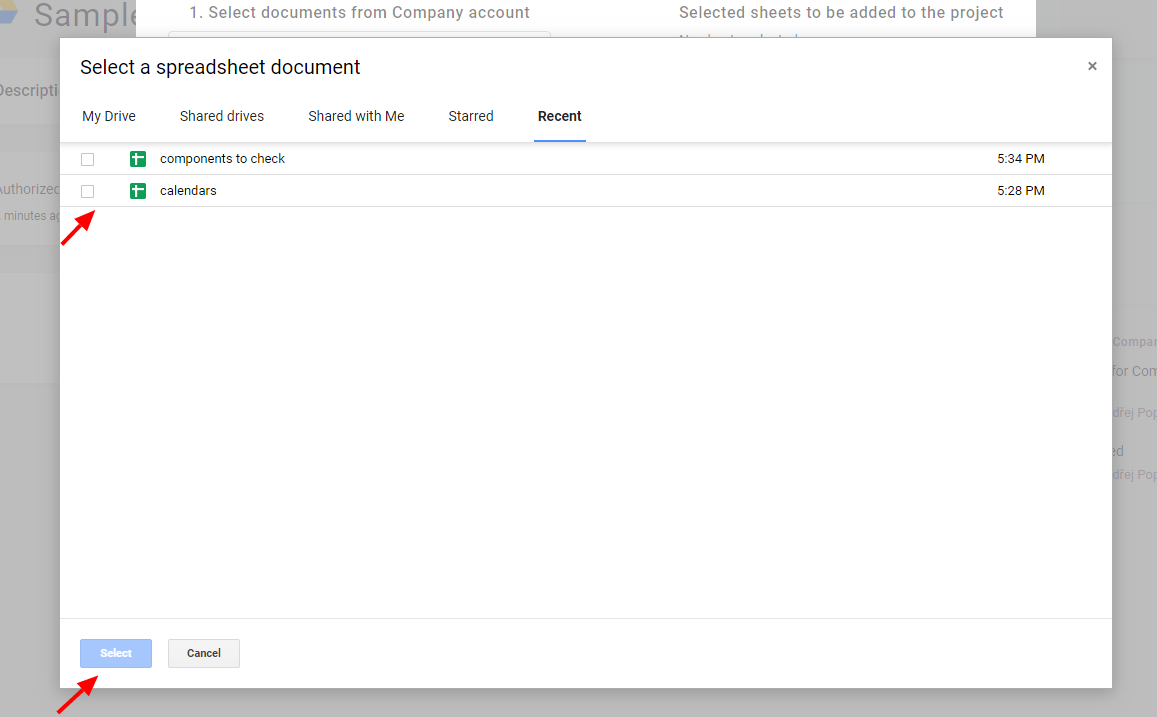
You may be asked once again to log in. In that case, use the same account in which you authorized the first step of the setup. Choose the document you want to import:
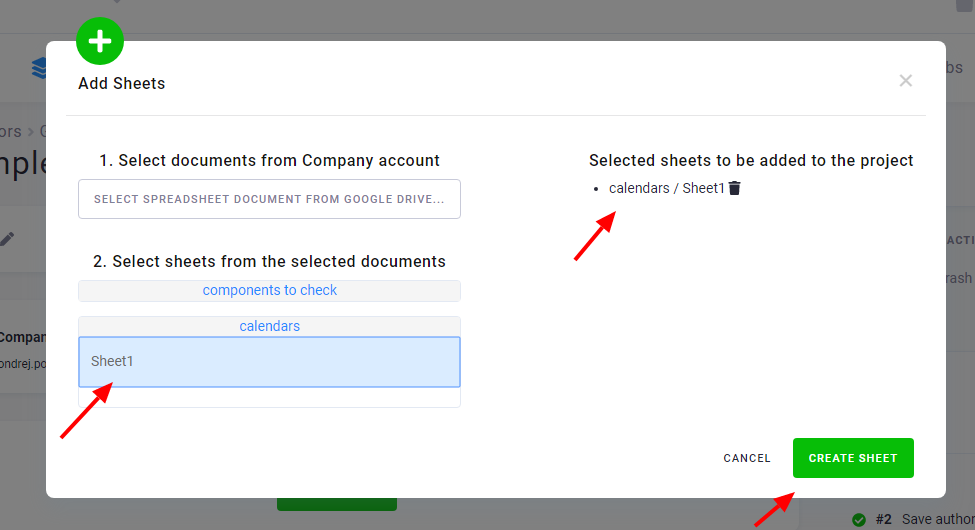
The sheets of the selected document are shown; you can select which sheets you want to import:
Modify Configuration
Section titled “Modify Configuration”When a sheet is added to the connector, it is displayed in the list of extracted sheets:
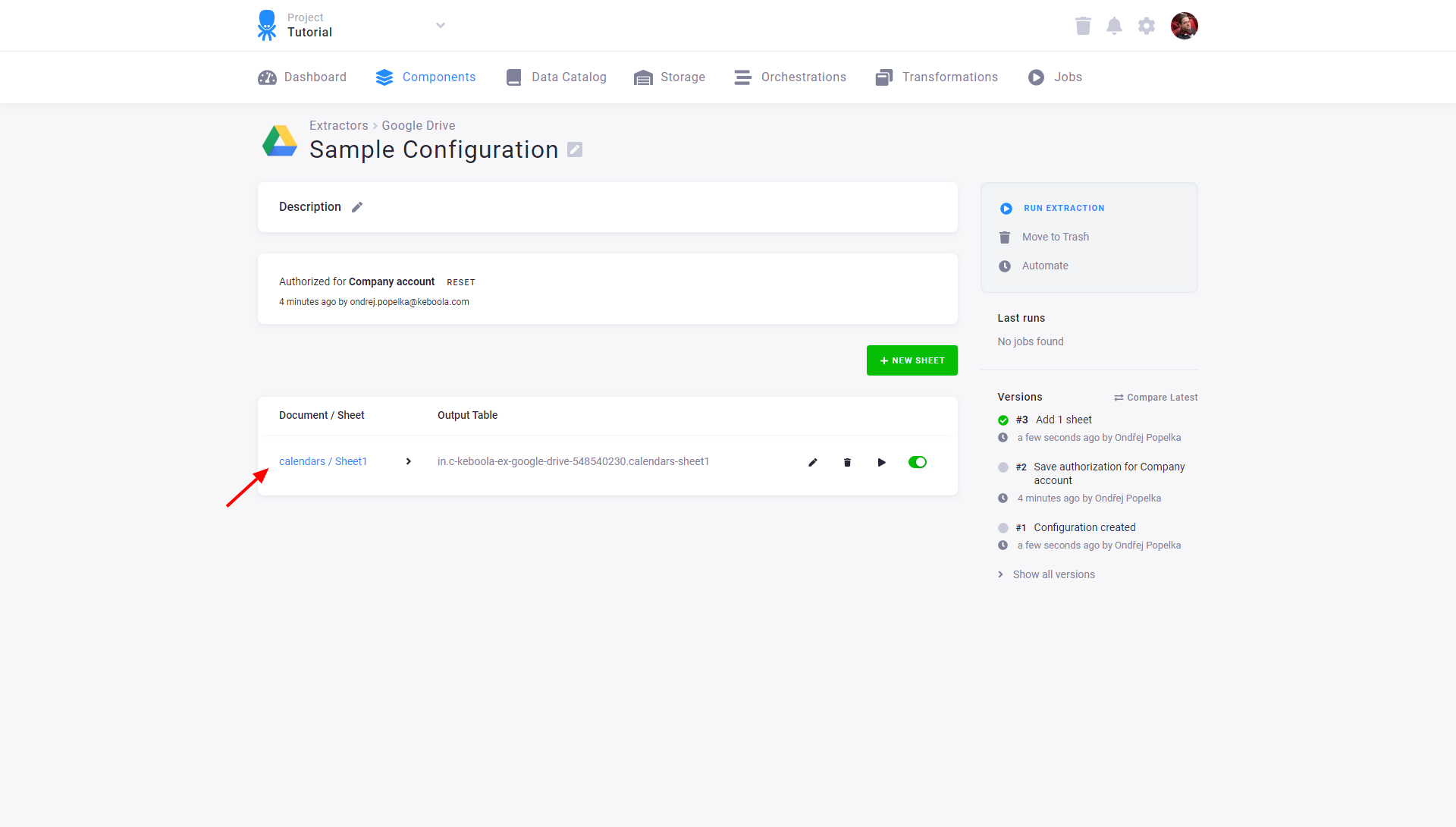
Configured tables are stored as configuration rows. The list shows the name (and the link) of the imported document and sheet, and also the name of the destination table in Storage. You can modify the destination table name by editing the sheet extraction.