

HTTP
This data source connector loads a single CSV file from an HTTP/HTTPS URL and stores it in Storage.
Configuration
Section titled “Configuration”Create a new configuration of the HTTP connector.
Enter a base URL — the prefix for all downloaded CSV files from a given website
(for example, https://help.keboola.com; you can then test the extraction on our sample tables).
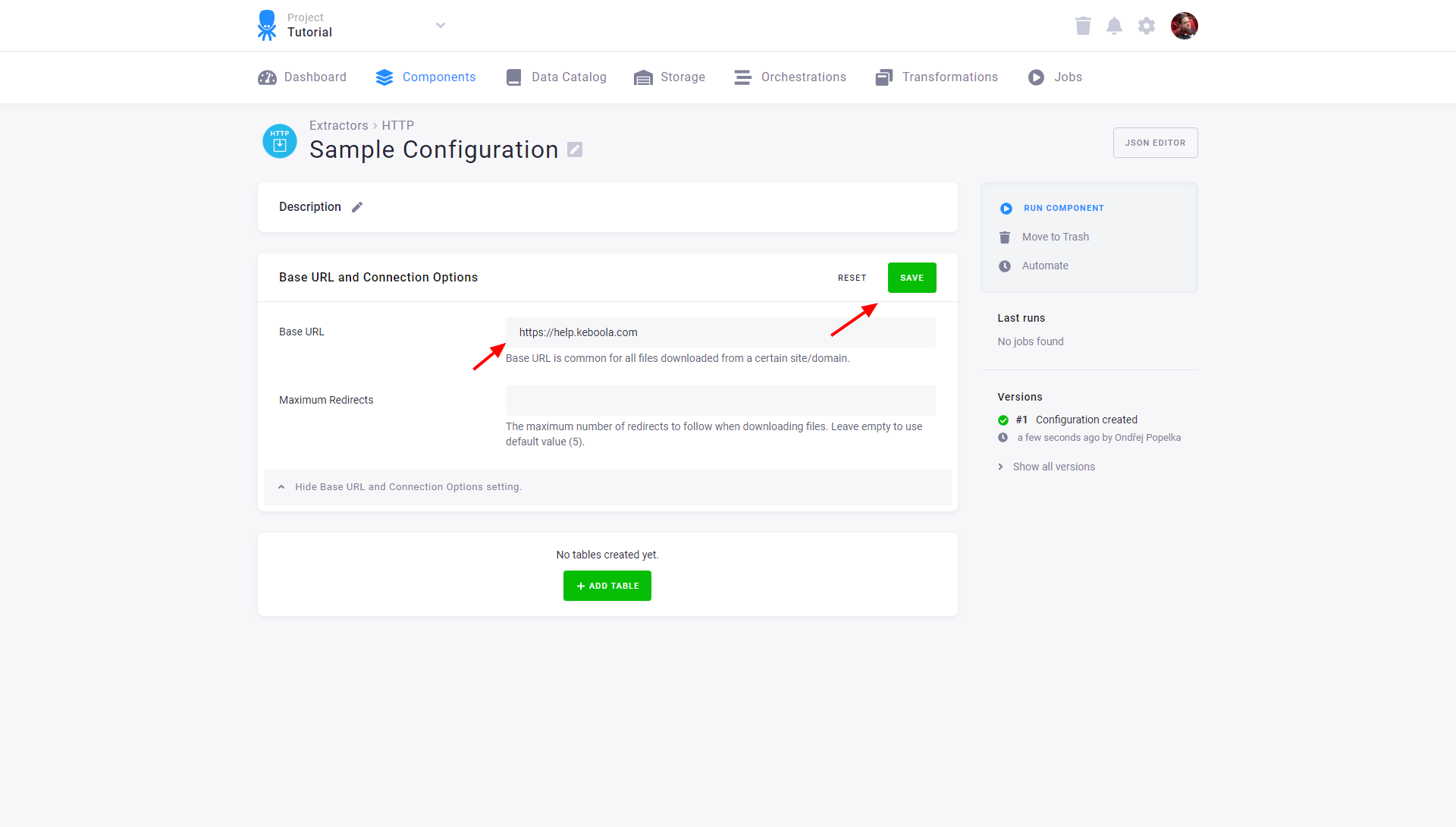
The base URL can also contain folder specification if the same folder is used for all files downloaded using this base URL.
Add Tables
Section titled “Add Tables”To create a new table, click the Add Table button and assign a name. It will be used to create the destination table name in Storage and can be modified.
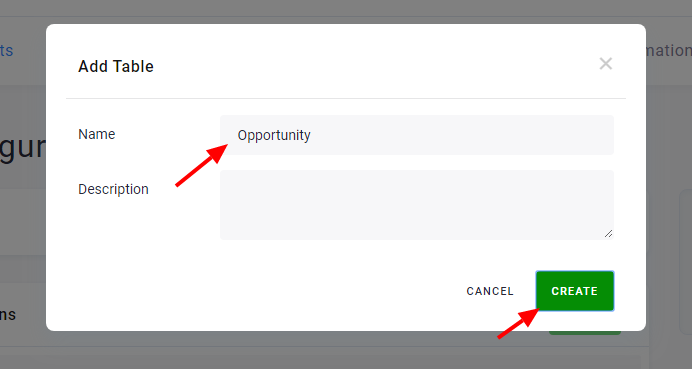
Each table has different settings (path, load type, etc.) but they all share the same base URL. The configuration can extract as many tables as you wish (to add more test tables, use our other sample tables: /tutorial/account.csv, /tutorial/level.csv, and /tutorial/user.csv). Configured tables are stored as configuration rows.
Specify File to Download
Section titled “Specify File to Download”For each table you have to specify a path that leads to a single CSV file or to an archive (GZ and ZIP are supported), which will be imported into a single table in Storage.
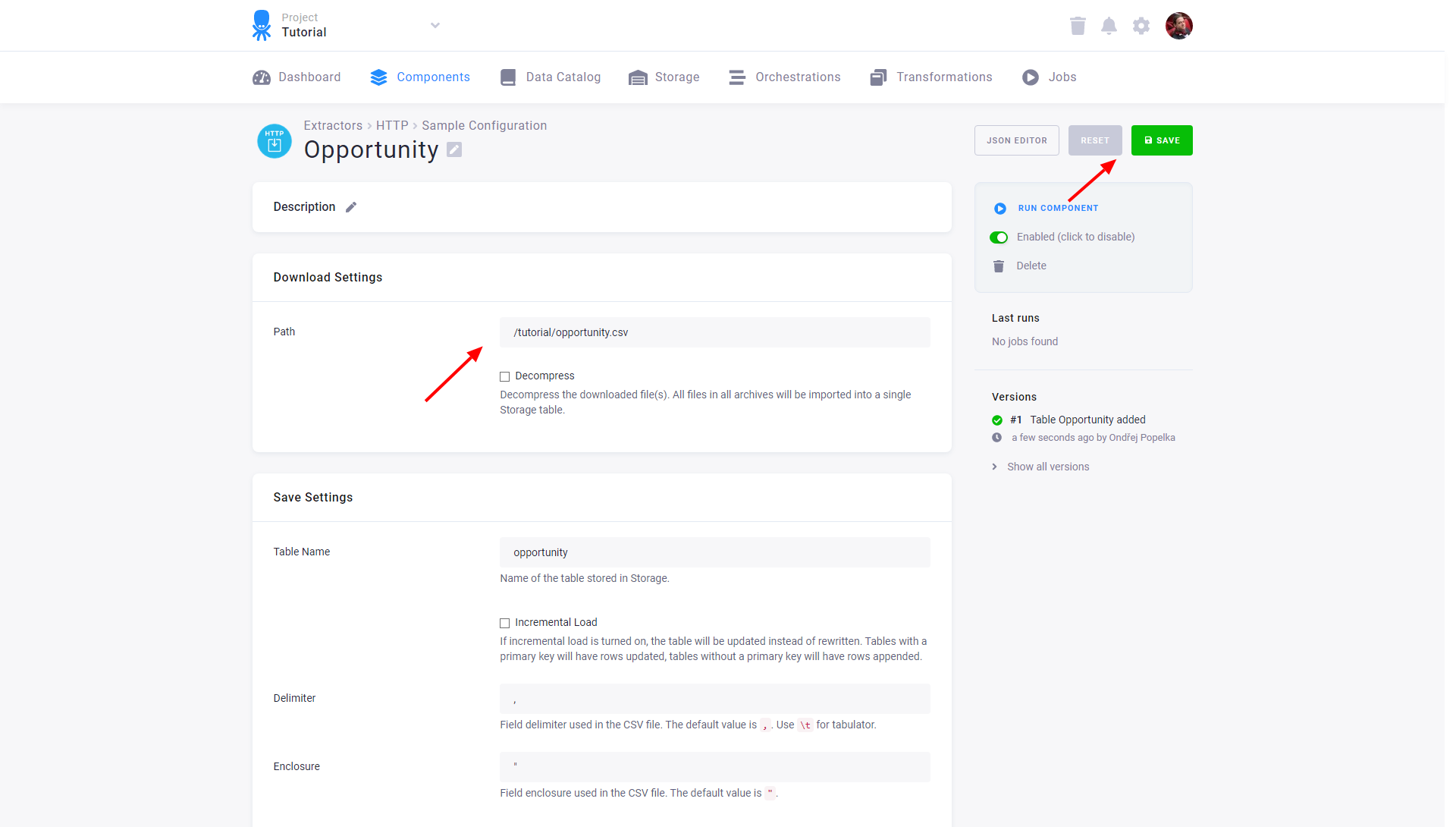
(If you used our example base URL https://help.keboola.com and
want to load one of our tutorial tables, enter its path, e.g., /tutorial/opportunity.csv.)
Save Settings
Section titled “Save Settings”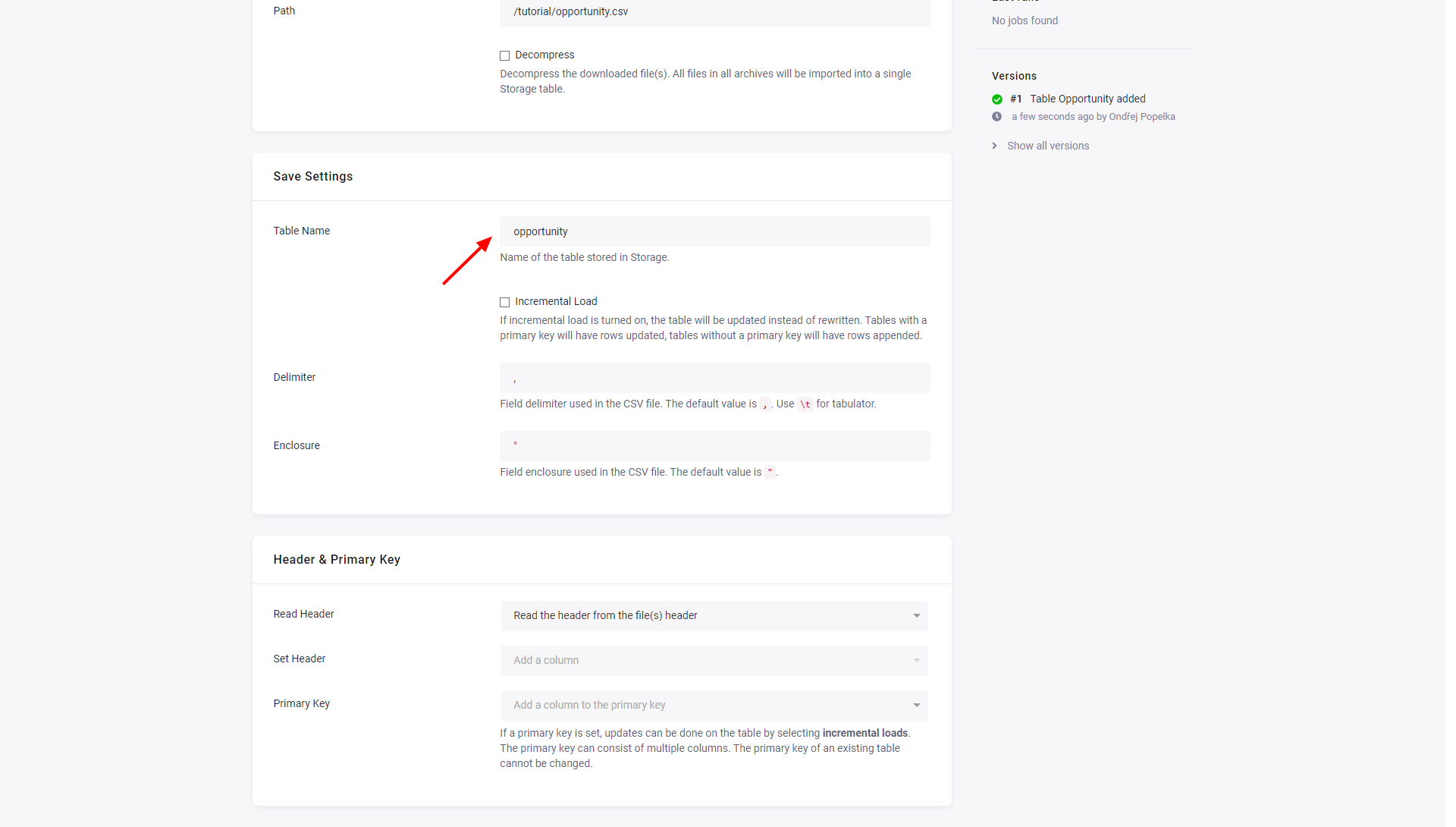
- The initial value in Table Name is derived from the configuration table name. You can change it at any time; however, the Storage bucket where the table will be saved to cannot be changed.
- Incremental Load will turn on incremental loading to Storage. The result of the incremental load depends on other settings (mainly Primary Key).
- Delimiter and Enclosure specify the CSV settings.
Header & Primary Key
Section titled “Header & Primary Key”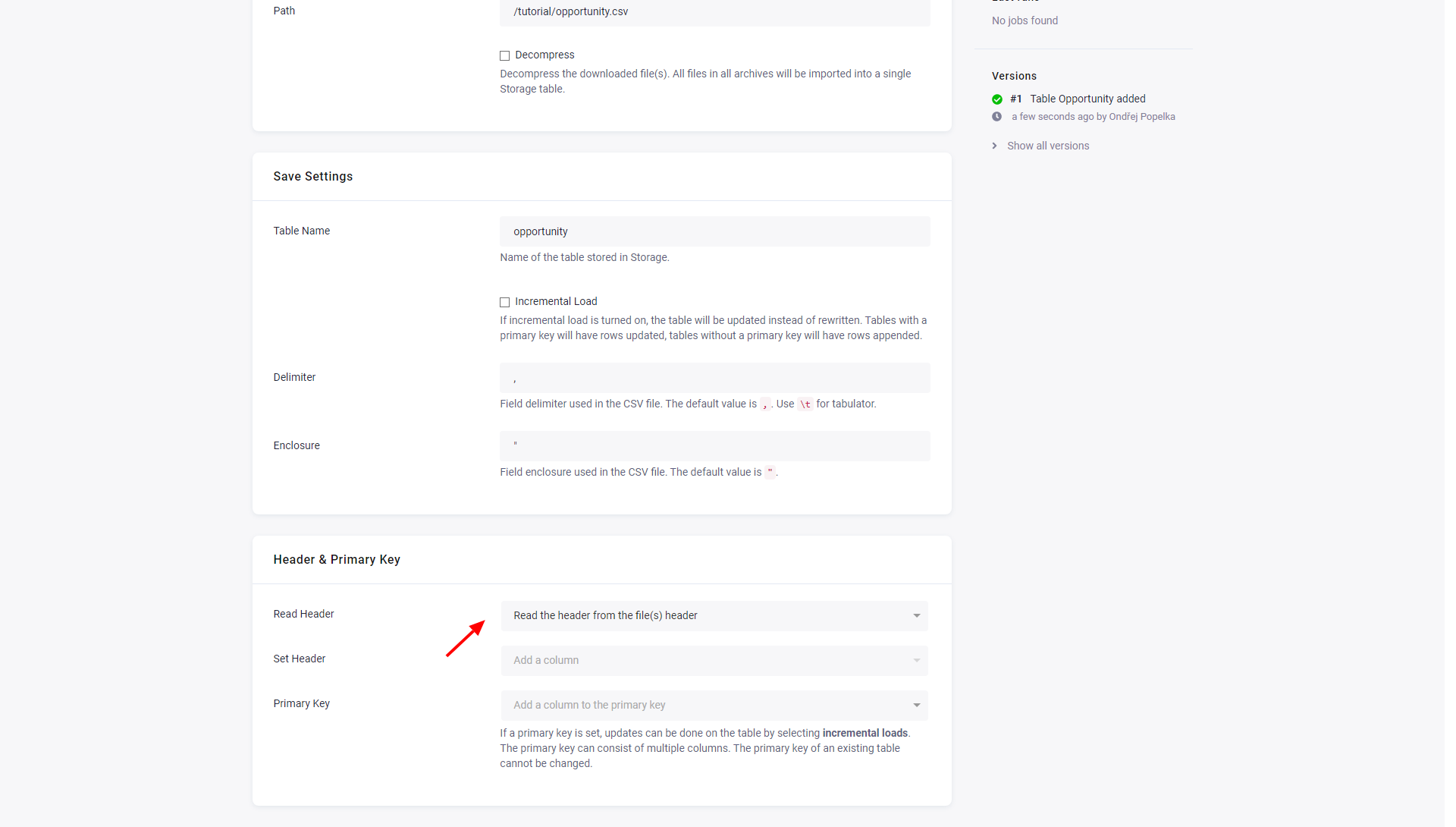
There are three options for determining column names:
- Set header manually --- This option enables the Set Headers input to manually specify all columns in the table.
- Read from the file(s) header --- This option assumes that each file has a header on the first line. A random file will be chosen to extract the header and the first line in all files will be removed.
- Generate automatically --- The columns will be named sequentially as
col_1,col_2and so on.
Primary Key can be used to specify the primary key in Storage, which can be used with Incremental Load.
The data source connector also supports Advanced mode, all supported parameters are described in the GitHub repository.