

Terminal Log Tab
The Terminal Log Tab in Keboola provides users with an almost real-time view of the application’s terminal logs. While there is a slight delay of a few seconds, this feature is designed to offer valuable insights into the application’s runtime environment, helping with monitoring and troubleshooting.
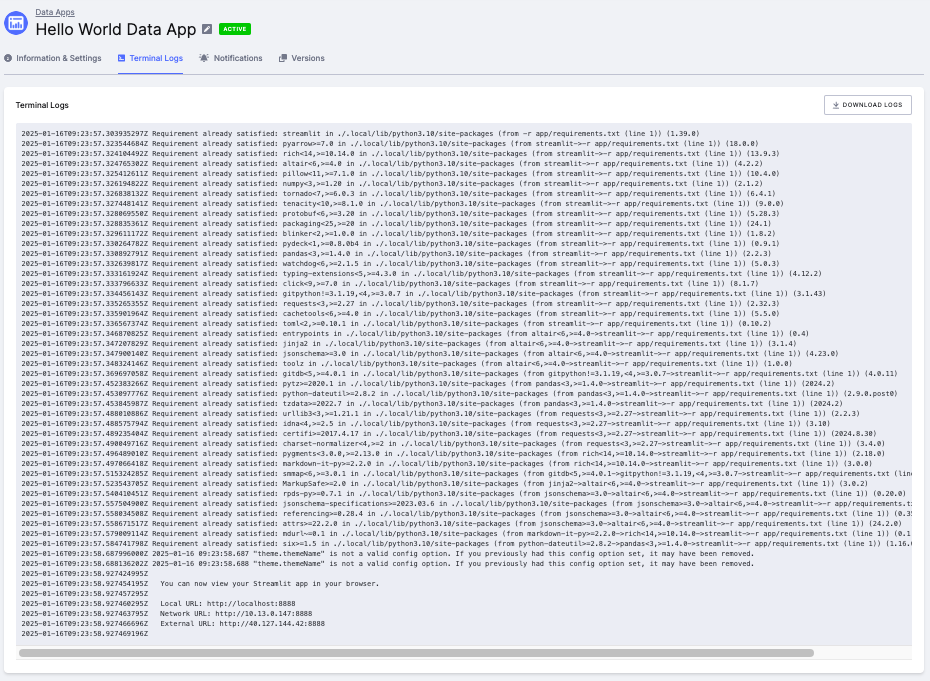
Key Features
Section titled “Key Features”The Terminal Log Tab includes the following features:
-
Near Real-Time Log Display:
- Displays terminal output from the running application with a slight delay of a few seconds.
- Enables users to monitor logs as they are generated, providing visibility into the application’s current state.
-
Full Log Download:
- Allows users to download a complete log of the application from its start by selecting the Download Logs button located on the right side of the tab.
-
Log Availability:
- Logs are accessible only while the application is running.
- To maintain system efficiency, logs are automatically deleted when the application is stopped or paused.
Key Benefits
Section titled “Key Benefits”The Terminal Log Tab offers several benefits:
- Near Real-Time Monitoring:
- Provides users with a clear view of the application’s performance during runtime.
- Enables prompt detection of anomalies or bottlenecks.
- Troubleshooting:
- Helps developers and operators identify issues by observing log outputs, such as error messages or warnings.
- Simplifies debugging by offering direct insights from the runtime environment.
- Transparency:
- Offers a detailed view of the application’s internal operations, ensuring visibility and understanding.
- Full Log Access for Analysis:
- Supports in-depth analysis by allowing users to download the full log file, which contains all outputs from the start of the application’s execution.