

Telemetry
In Keboola, customers are provided with three levels of detail for telemetry data and two ways to use the data. The first way is the Telemetry Data source connector, which is used to get the raw data for further analysis. The second way is Telemetry dashboards, which are available in Keboola projects after clicking on the profile picture in the top right corner.
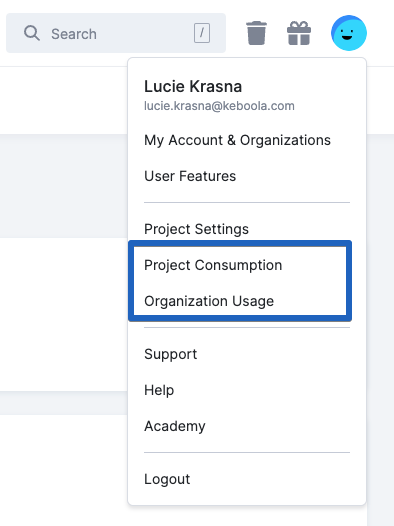
Three modes are available for data and the visual form: project mode, organization mode, and activity center mode. More details on the raw data modes can be found in these links:
For the visual part, go to Telemetry Dashboards.
Email Notifications
Section titled “Email Notifications”This section provides an overview of how email notifications in Keboola help customers monitor their credit usage. Notifications are sent to designated contacts when specific credit usage thresholds are reached to ensure transparency and encourage proactive action.
How Notifications Work
Section titled “How Notifications Work”Keboola automatically tracks customer credit usage. When usage reaches a defined threshold, an email notification is sent to the designated contact, as agreed upon with the Keboola Account Manager.
Notifications are triggered at the following thresholds:
- 80% of purchased credits used
- 100%+ of purchased credits used
These notifications serve as alerts to inform customers about their credit consumption status and encourage them to take necessary actions, such as reviewing usage or purchasing additional credits.
Notification Conditions
Section titled “Notification Conditions”Notifications are only sent under the following conditions:
- The customer must have an active contract signed with Keboola.
- Notifications are not sent to customers with an Enterprise contract.
- Notifications are not sent to customers or individuals who have explicitly requested removal from the notification list.